This challenge hands you a single Windows minidump, a compact crash/memory snapshot, much smaller than a full memory dump, that still carries process metadata, loaded modules, and whatever was resident in that process's address space at capture time. The premise is that an APT group ran malware on a victim machine, and we're handed the minidump to reconstruct what happened.
from pwn import *
import struct

p = remote('gzcli.ctf.cyberjawara.id', 33955)
p.recv()

ans = [
    'Windows 10 Version 19043 MP DESKTOP-LCC9E2D',
    'C:\\Users\\USER\\Music\\Kaspersky.exe',
    'rnicrosoft',
    'C:\\Users\\USER\\DokumenPenting',
    '!h0peth3r34ren0m0r3ch34t!n94ft3rth15CTF',
]

for i in ans:
    p.sendline(i.encode())
    print(p.recv())
    print("\n")
# b'Correct!\n\n======================================================================\nINVESTIGATION COMPLETE!\n======================================================================\n\nGG!\n\nFlag: CJ2025{th!s_is_the_beg1nnin9_0f_y0ur_4n4lysis_on_aPT_gr0up_a.k.a_as3ng_Persistent_Threat_anyway_the_malware_sucks_sorry}\n\n======================================================================\n'
Here's how each of those five answers was actually derived.
Q1, Host identification: OS build and device name
I opened the minidump in WinDbg and ran two standard triage commands:
vertarget, prints the OS version and build of the machine the dump was taken on. This is the fastest way to confirm what you're dealing with before going any further (in this case, Windows 10, Version 19043, an MP/multiprocessor build).!sysinfo, pulls additional machine info from the dump, which is where theDESKTOP-LCC9E2Dhostname surfaced.
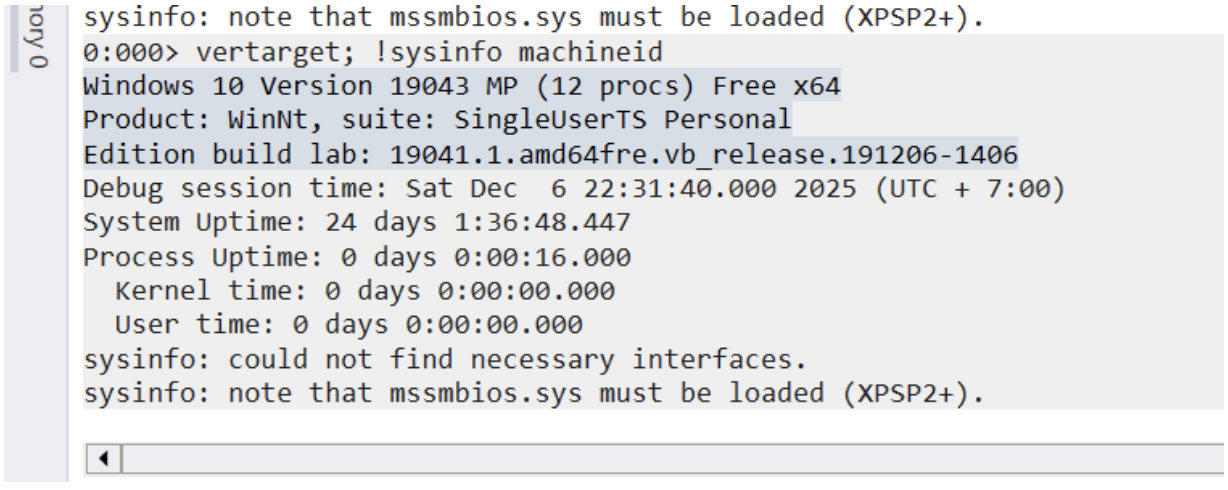
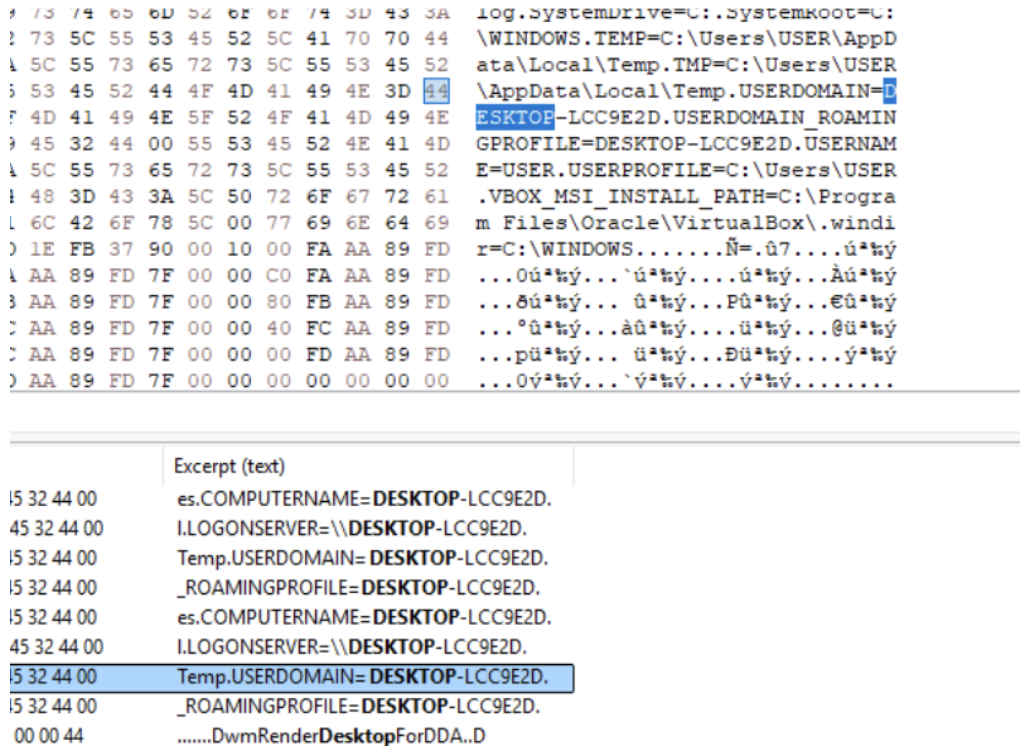
WinDbg's parsed output didn't give me the device name in a clean, copyable form, so I cross-checked it directly against the raw bytes in HxD. Minidumps store the computer name as a UTF-16 string in the SystemInfo/MiscInfo streams, so searching for fragments of what WinDbg displayed and reading the surrounding bytes confirmed DESKTOP-LCC9E2D exactly.
Q2, Identifying the malicious binary's path
Next question: where did the malicious executable actually live on disk? For this I used:
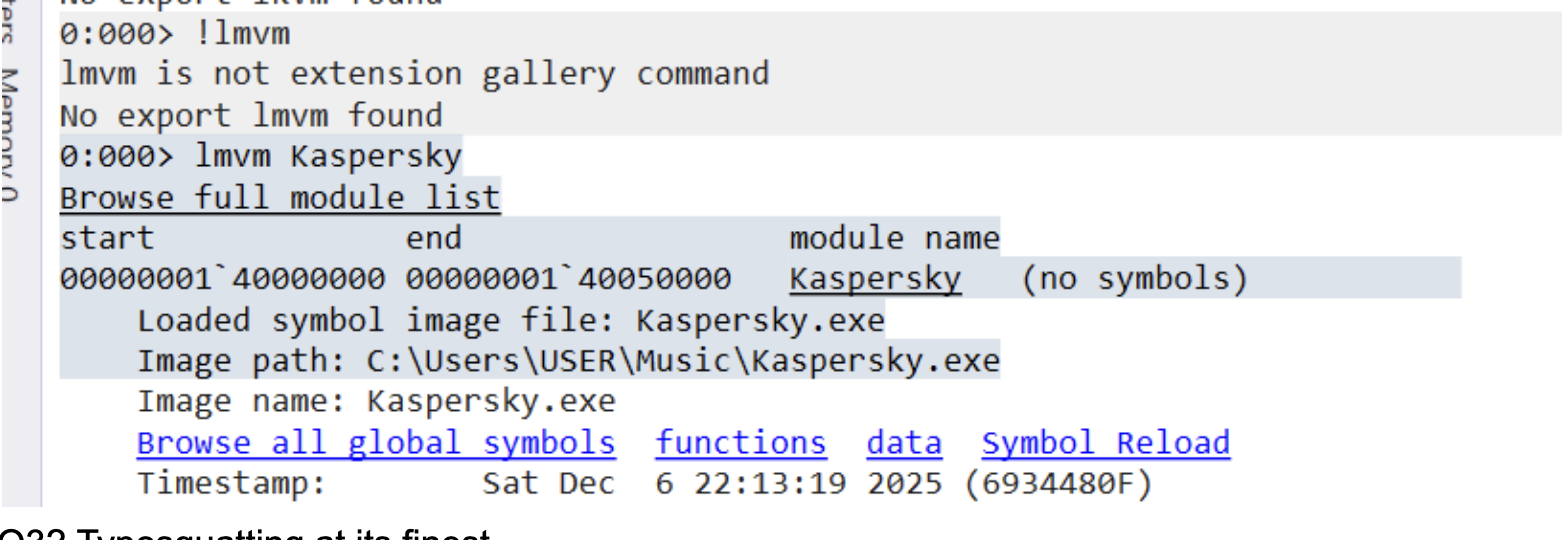
lmvm <module>, WinDbg's "list modules, verbose" command. Given a module name, it dumps detailed metadata about that loaded module, including its full image path on disk.
Running lmvm against the suspicious module printed its source path directly: C:\Users\USER\Music\Kaspersky.exe. Note the location, a security vendor's executable sitting inside the Music folder is already a red flag; legitimate AV binaries don't live there.
Q3, The typosquat in the mutex name
Malware frequently creates a named mutex early in execution as a "single instance" lock, a way to check if it's already running on the host and bail out if so. These mutex names are often hardcoded strings unique to the malware family, which makes them a useful fingerprint once you find them.
I searched the raw minidump bytes for the Global\ prefix (the namespace Windows uses for mutexes visible across all sessions on a machine, not just the current login session) since that's a common pattern for malware wanting cross-session persistence checks.
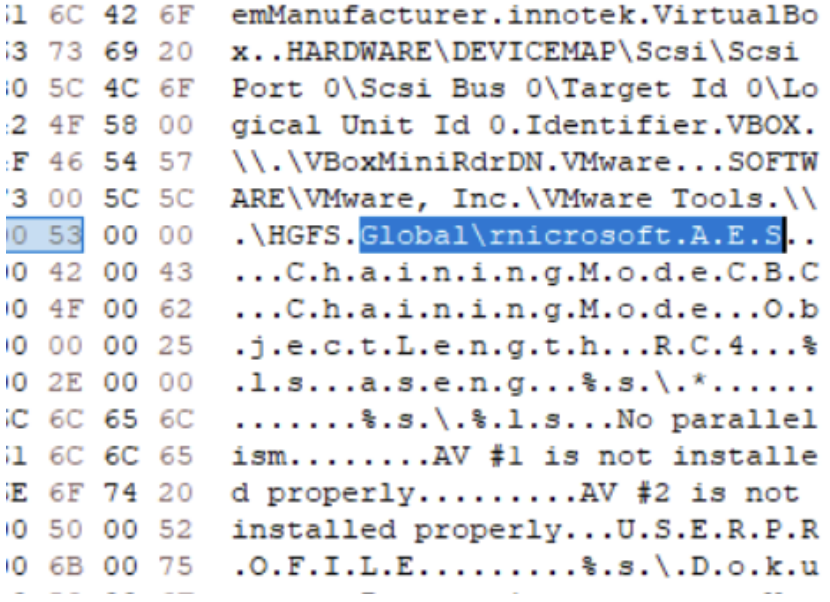
The mutex name that turned up was rnicrosoft, at a glance it reads as "microsoft," but look closely: the first two characters are lowercase r and n, not m. This is typosquatting via homoglyph substitution, rn visually mimics m in most fonts. The malware authors picked a mutex name designed to blend in with legitimate Microsoft processes if anyone happened to glance at a process/handle list.
Q4, Finding the encrypted target directory
Knowing from earlier static/dynamic analysis that the binary used a custom extension for encrypted output (.aseng, a nod to the APT group's name), I searched for that string directly in HxD rather than trying to reconstruct it through code analysis.
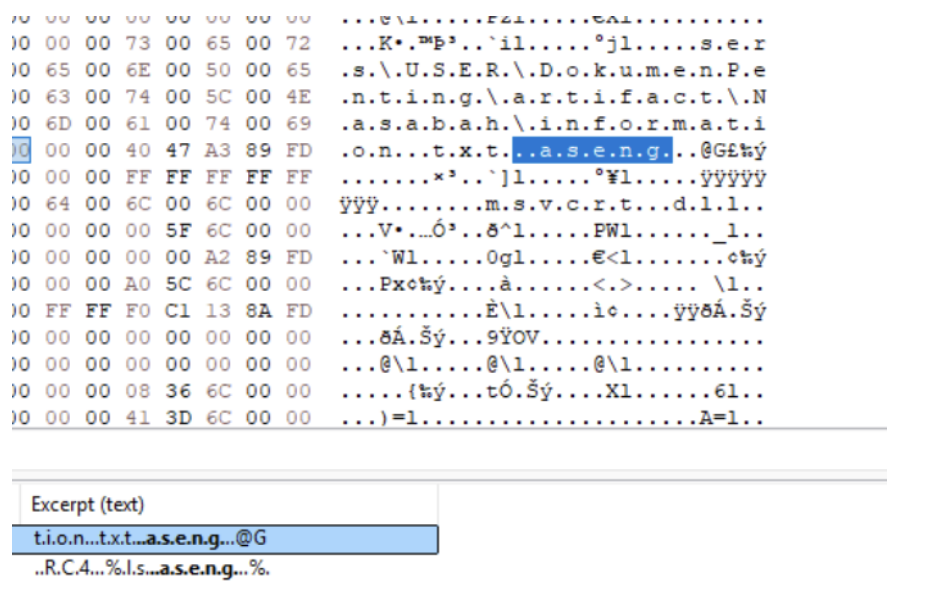
That search surfaced C:\Users\USER\DokumenPenting ("DokumenPenting", Indonesian for "important documents") as the directory being targeted.
Q5, Recovering the encryption keys and decrypting the ciphertext
This was the heaviest step, and where most of the time went.
Starting point. Reverse engineering the binary (outside the minidump, just statically) showed it imports both AES and RC4, so whatever encryption scheme it used, it likely involved both algorithms, not just one. That's an important clue to hold onto for later.
Finding ciphertext in the dump. I searched the minidump for bytes matching the known ciphertext (CT) format/length from the encrypted file, and located a copy of it resident in memory:
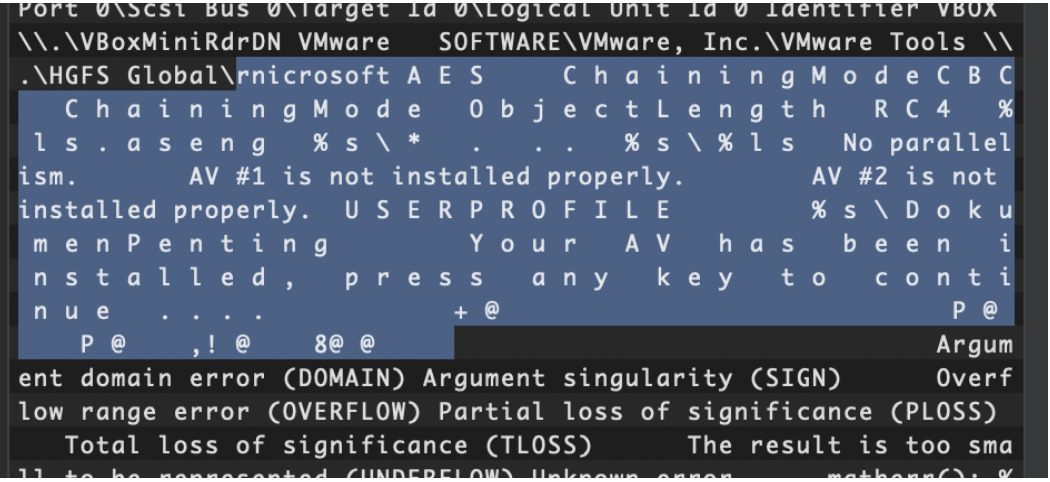
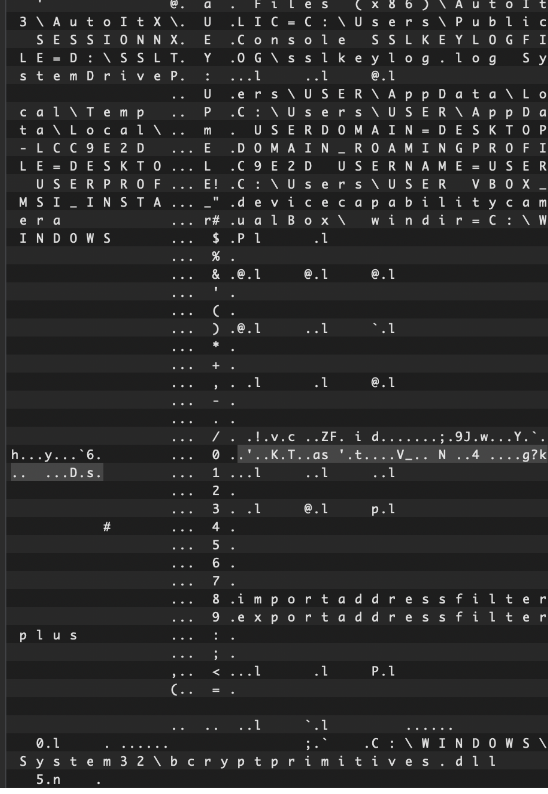
This makes sense, the minidump was almost certainly captured right after the malware ran, while the encryption routine's working buffers (plaintext, ciphertext, keys) were still sitting in the process's address space and hadn't been overwritten yet.
I tried dumping Kaspersky.exe itself directly out of the minidump's module list to recover the binary for closer analysis, but the bytes that came out were junk, not a valid PE. That's expected behavior for a minidump: unlike a full memory dump, a minidump usually only preserves partial module images (just what's needed for stack walking/symbol resolution), so a full, intact binary often can't be reconstructed from it.
So I went back to searching the dump itself for whatever crypto material was available. Running bulk_extractor (a tool built for carving recognizable artifacts like keys, emails, and URLs out of raw binary blobs) against the dump turned up something that looked exactly like an AES key:
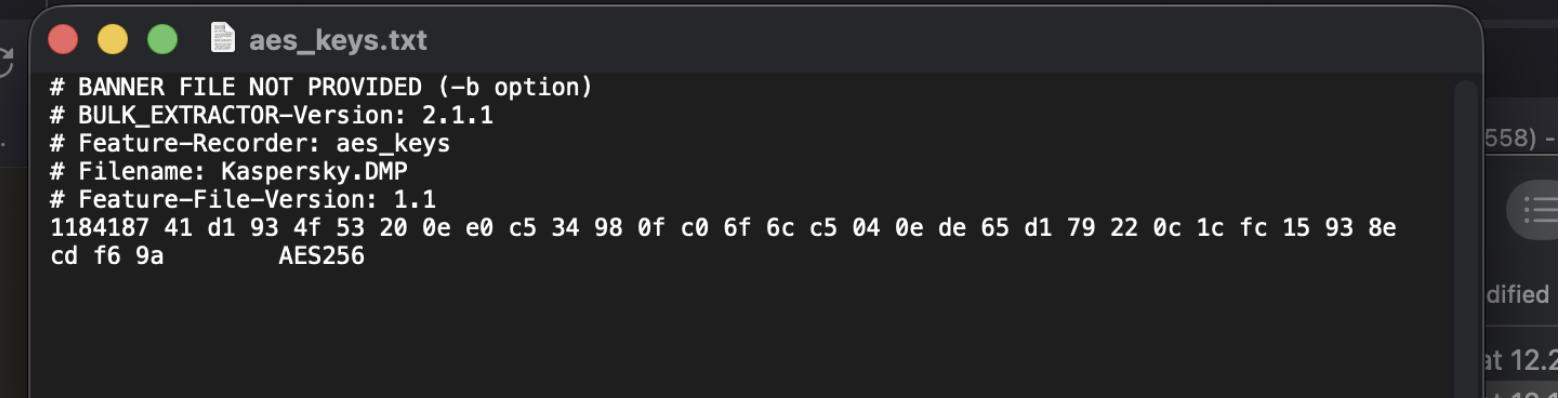
I tried decrypting the ciphertext with that key, and it produced garbage.
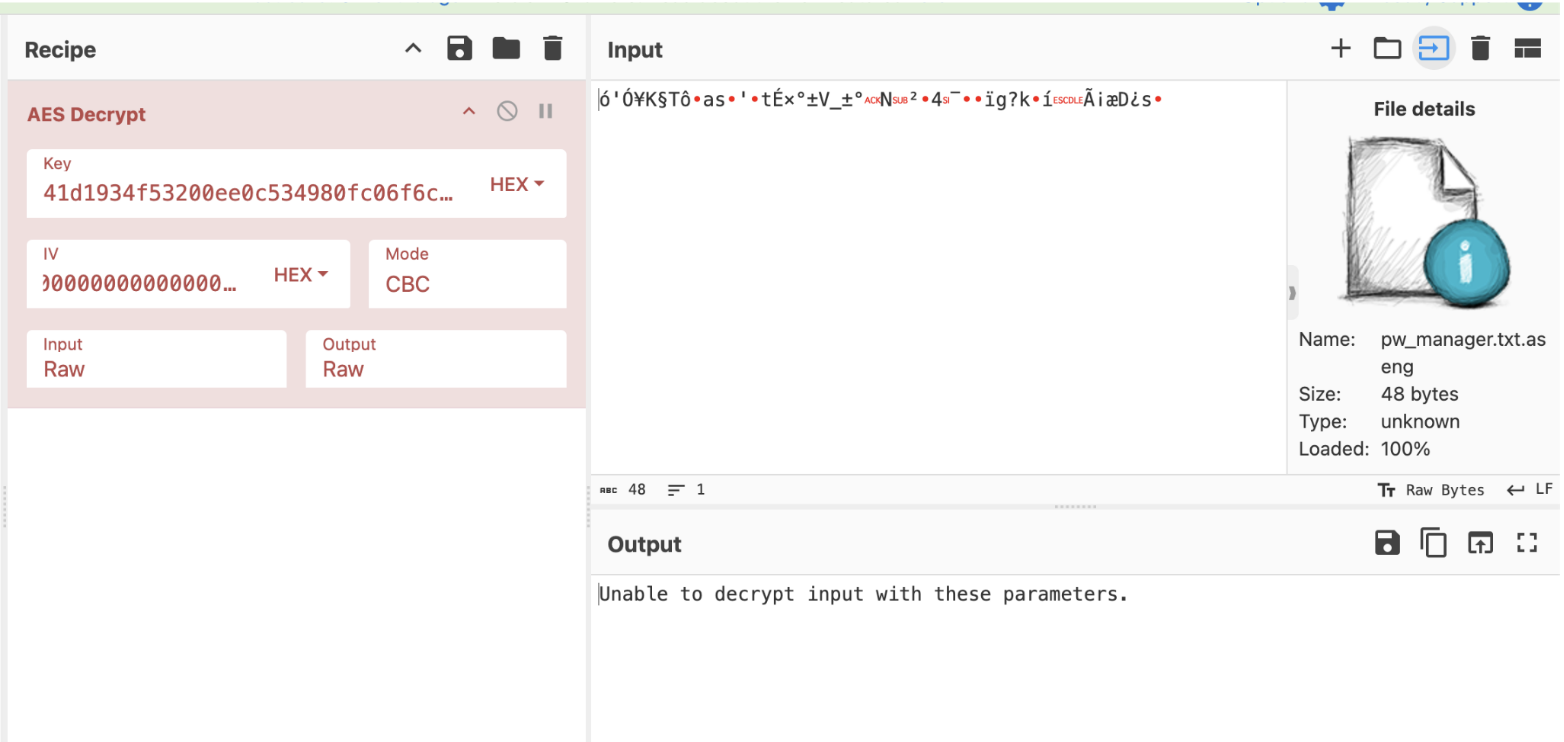
The two-layer theory. This is where the "imports both AES and RC4" detail from earlier came back into play. If the key alone didn't decrypt the ciphertext I had, my working theory was that the malware encrypts in two passes, RC4 first, then AES (or vice versa), meaning the bytes I was trying to decrypt with AES weren't the final ciphertext at all, but an intermediate RC4-encrypted blob, and the true AES-layer ciphertext was something else entirely, still sitting somewhere in the dump.
I went looking for a second blob the same length as the ciphertext I already had, on the theory that it represented the other layer of encryption:
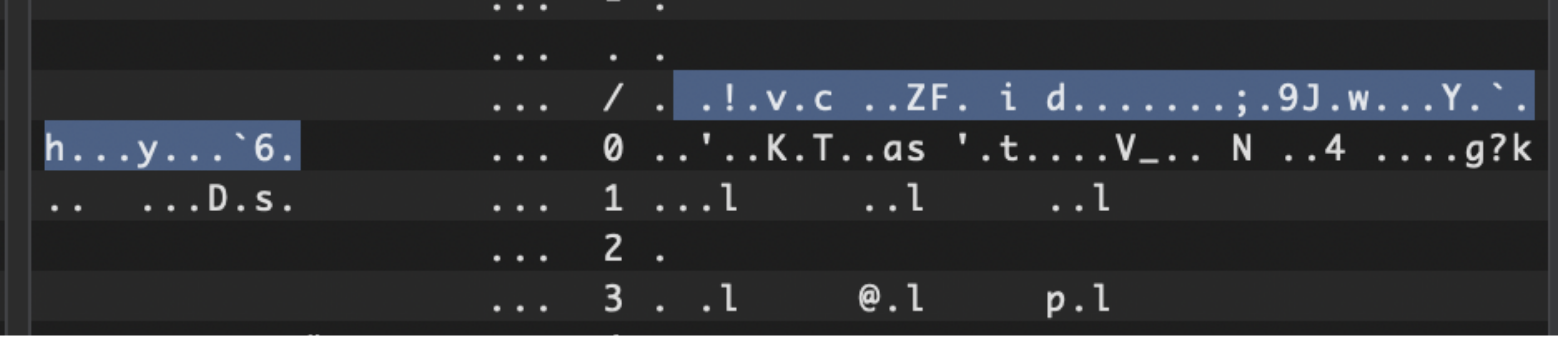
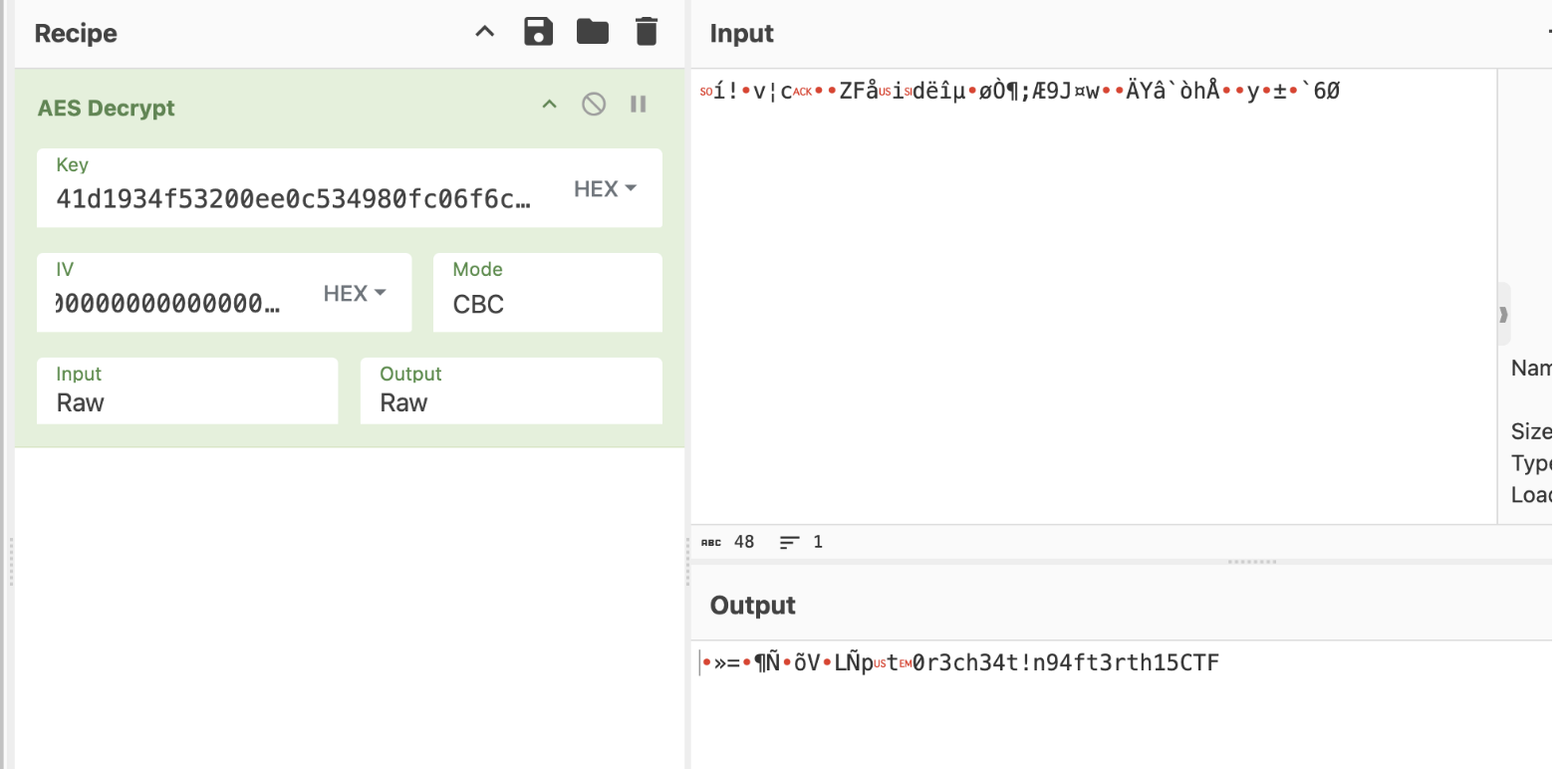
Decrypting that blob with the recovered AES key worked:
Finding the IV. AES-CBC needs both a key and an initialization vector (IV) to decrypt correctly, having the right key but the wrong (or missing) IV still produces garbage for the first block and onward. A standard AES IV is 16 bytes, so the next step was finding 16 bytes adjacent to the key that could plausibly be it.
Searching the dump for more occurrences of the AES key turned up a hit where the key appeared to have extra bytes appended directly after it:

That blob was 32 bytes total, exactly double the key length:
BD49554F E4082AF9 953A5A18 27DA74B5 B8D30DF0 D3A5C5C6 24A278A3 15714474
Since I already suspected a double-encryption scheme, splitting this 32-byte blob into two 16-byte halves was the natural next move:
BD49554FE4082AF9953A5A1827DA74B5
B8D30DF0D3A5C5C624A278A315714474
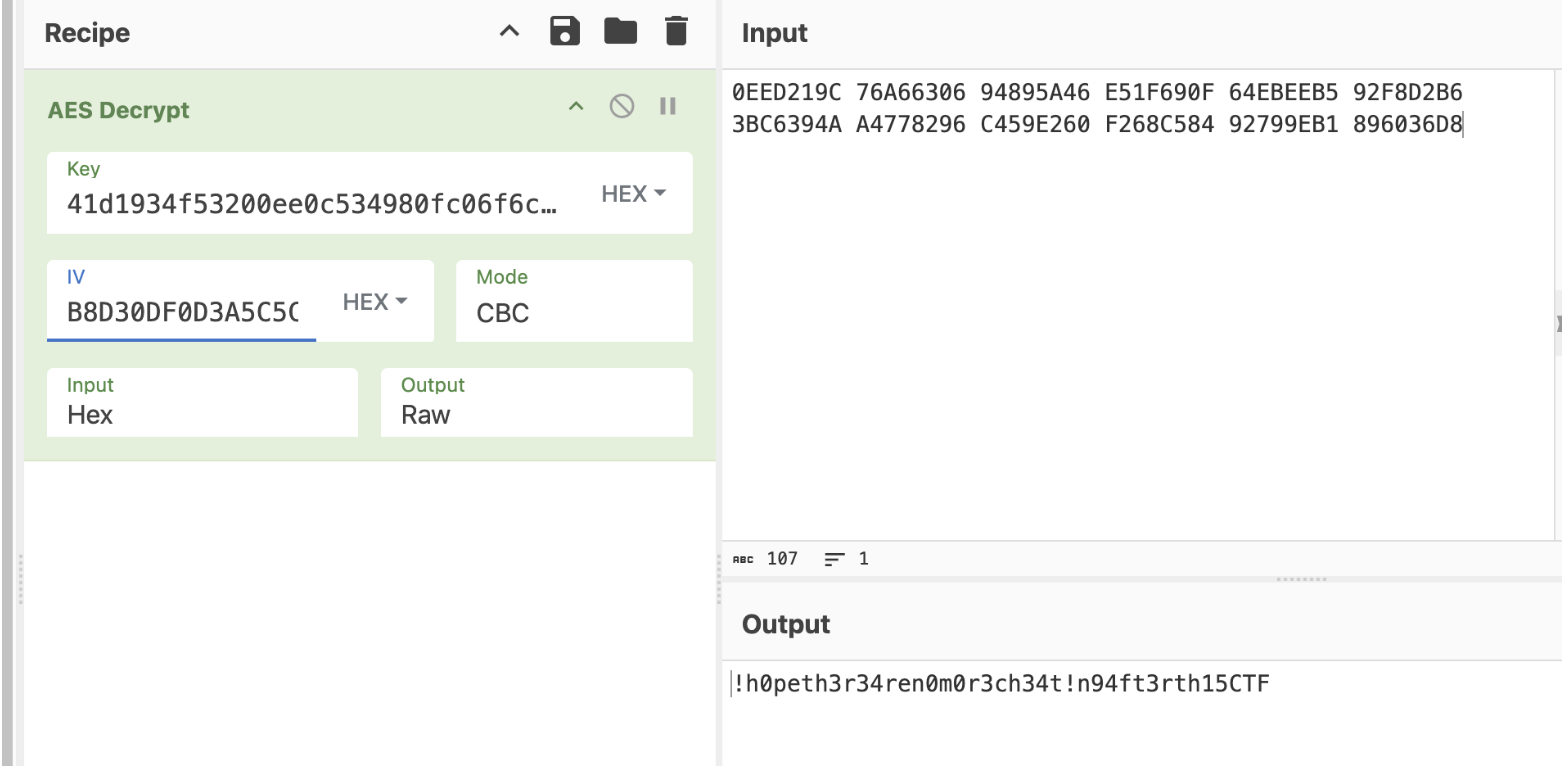
The second half turned out to be the correct AES IV.
Putting it together. With the key, IV, and the correct ciphertext blob, decryption finally went through cleanly:

The decrypted output was actually one long contiguous blob containing several distinct secrets concatenated together:
C6B225F5 C3A522BC 835396E5 DC61C7E0 7CFB86D5 2F1596A7 D0F6E257 8EE99547 41D1934F 53200EE0 C534980F C06F6CC5 040EDE65 D179220C 1CFC1593 8ECDF69A BD49554F E4082AF9 953A5A18 27DA74B5 B8D30DF0 D3A5C5C6 24A278A3 15714474
Breaking it down by segment: rc4Key : aesKey : <unidentified 16-byte segment> : aesIV. The middle segment's purpose is still unclear to me, possibly an IV intended for a second, separate file, since the malware encrypts an entire directory rather than a single file (if so, a plausible candidate on a Windows system would be something like desktop.ini).
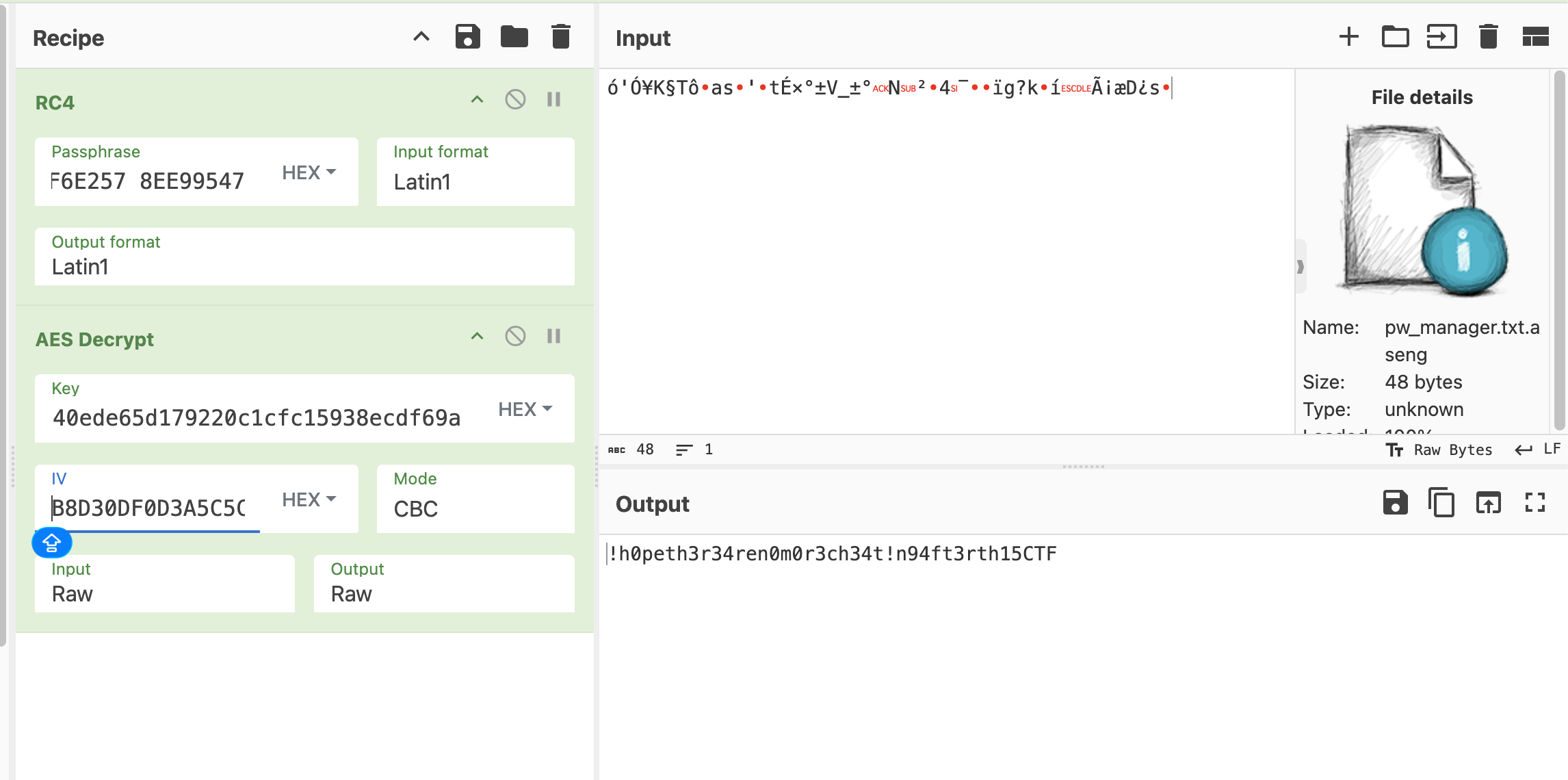
That final value, the deobfuscated passphrase recovered from this chain, was the answer to Q5, completing the investigation and returning the flag.